 BrightenBooks
Made for contractors and small businesses
Simple books for people who build things.
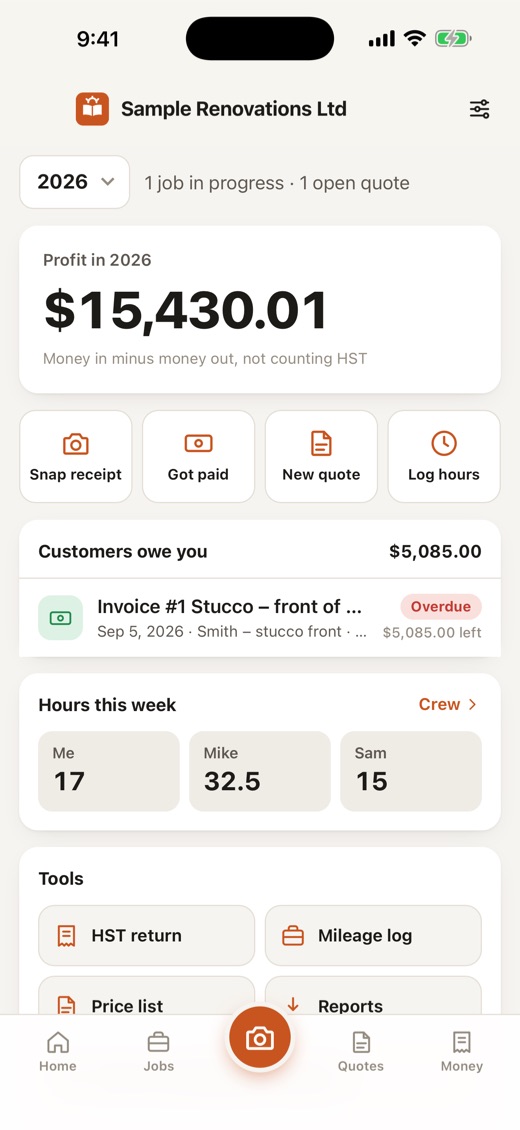
Jobs, receipts, quotes, HST and your crew's hours, all in one app that's easy to understand. Works with no signal, shared across your phones, and stored in Canada.
Every plan starts with a 7-day free trial. Prices in Canadian dollars.
What you get
Everything a small business needs. Nothing you don't.
No accounting jargon. If you can use a phone, you can keep your books.
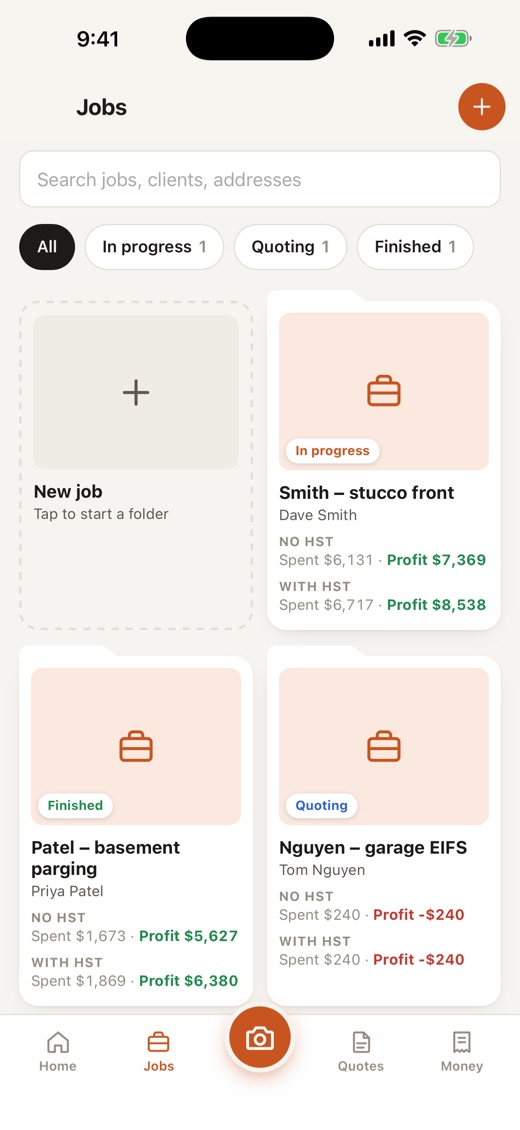
Every job is a folder
Photos, receipts, quotes, invoices, payments and hours all live under the job they belong to. Tap a job and see exactly what it earned.
Snap a receipt, done
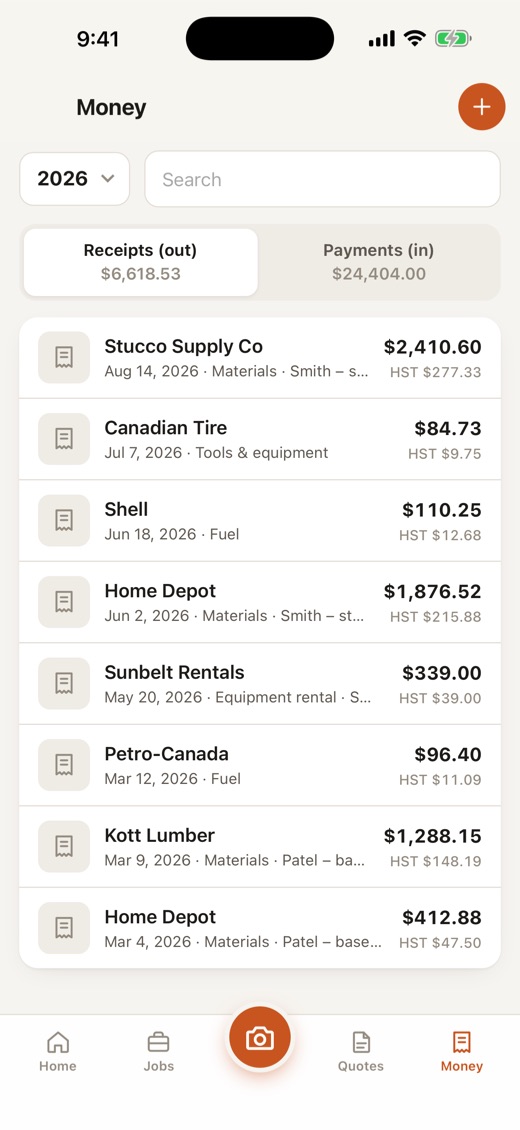
Point your camera. BrightenBooks reads the store, date, total and HST, checks that the numbers add up, and files it under the right job.
Quotes and invoices
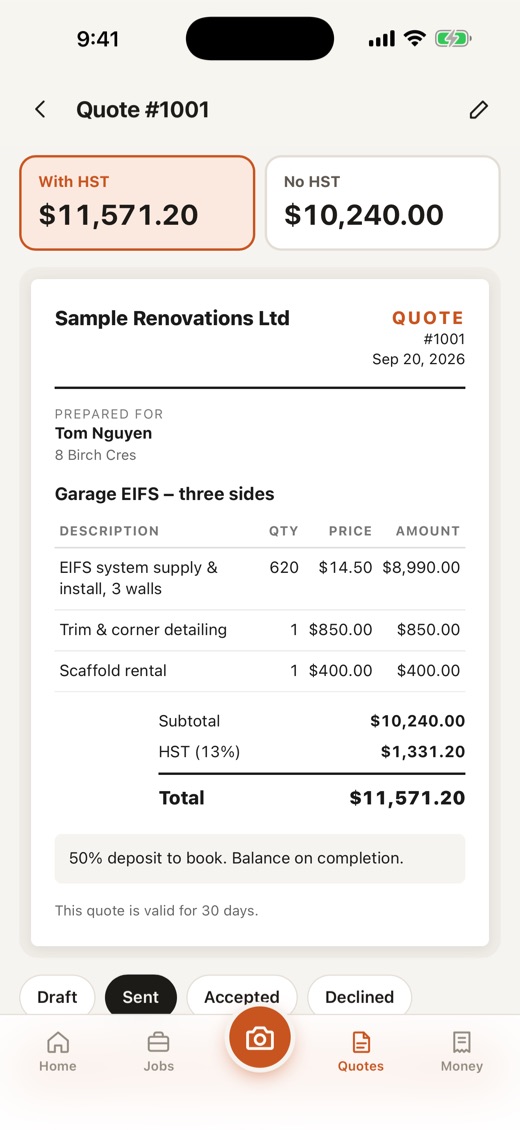
Build a quote in minutes, with or without HST, add your logo, get it signed on your phone, and send it as a PDF. Turn it into an invoice when the work is done.
Money in, money out
See what you were paid, what you spent and what you kept, for every job and for the whole year. Photos of cheques stay with the payment.
Crew hours, any phone
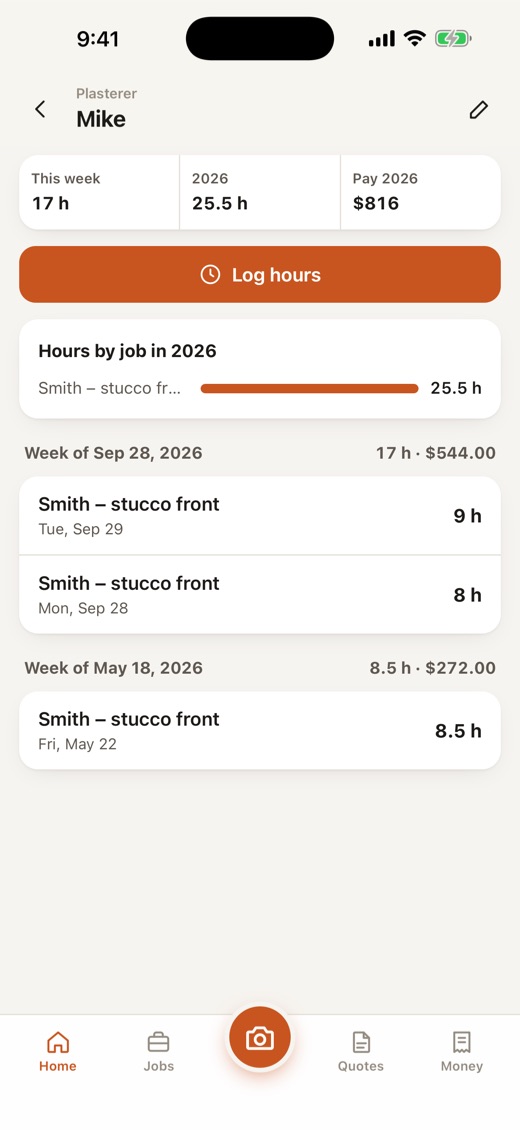
Send your crew a private link. It works on iPhone or Android, with no app and no account. They log their hours and send them to you in one tap.
Ready for tax time
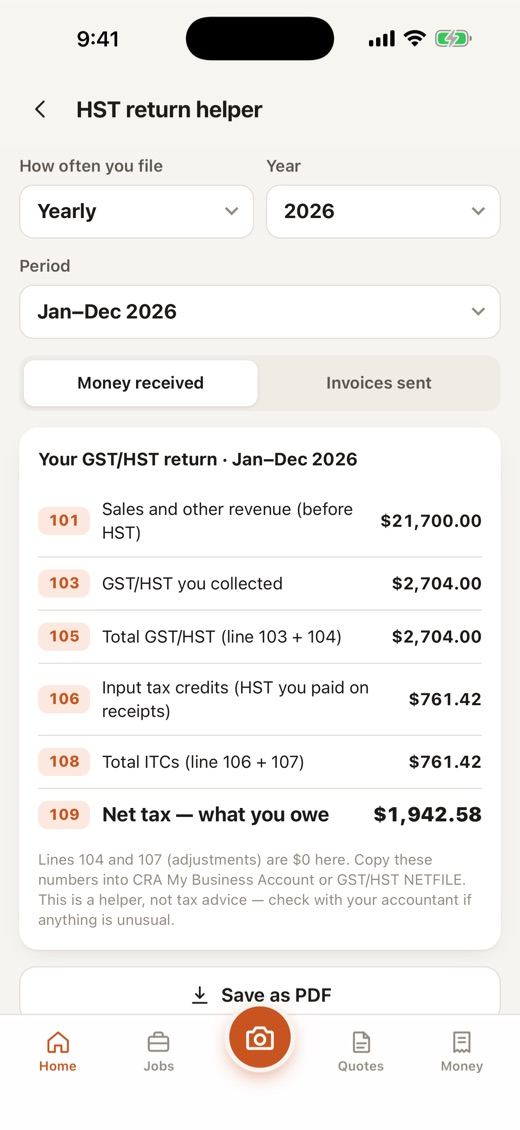
HST return helper, a yearly income summary and one-tap exports for your accountant. Built around how Canadian businesses file.
Same books on every phone
Sign in on a new phone and your books come down. Your partner and bookkeeper each get their own login and see the same data, live.
Works with no signal
Your phone keeps its own full copy, so the basement, the roof and the back of beyond are no problem. Changes sync when you're back online.
Private, and stored in Canada
No ads, no tracking, and we never sell your data. If you turn on sync, your books are stored in Canada and you can erase them any time from the app.
How it works
Up and running in a few minutes.
Add your first job
Give it a name and, if you like, the client. That's your folder for everything about the work.
Snap and send
Photograph receipts as you spend, record payments as you're paid, and send quotes and invoices from the same place.
See where you stand
Profit for every job and for the year, what's owed to you, and what to put aside for HST, always up to date.
A look inside
Clear screens, big buttons.
Pricing
Pick the plan that fits your business.
All plans start with a 7-day free trial. Cancel any time. Prices in Canadian dollars. Yearly saves 25%.
You subscribe inside the iPhone app, and a plan covers everyone in your company. Subscribing on this website is coming soon.
Questions
Good questions.
Does it work with no internet?
Yes. Your phone keeps its own full copy of your books, so you can work anywhere. If you use sync, changes are sent as soon as you have a signal.
Where is my data stored?
On your phone, always. If you choose to turn on sync, a secure copy is also stored in Canada so your other devices and the people you invite see the same books. We don't sell your data, there are no ads, and you can erase your online copy from inside the app.
Can my partner or bookkeeper use it too?
Yes. Each person gets their own login and sees the same books. A bookkeeper can look but not change anything, and you can remove anyone at any time.
My crew has Android phones. Can they log hours?
Yes. You send each worker a private link. It opens in their phone's browser, iPhone or Android, with no app and no account. They log their hours and tap Send, and a text to you opens with the hours ready to go.
Is there a computer version?
It's coming. The same books will open in a browser on Windows or Mac, and you'll be able to install it as an app from Chrome or Edge.
Does it handle HST?
Yes. You can charge HST on a whole quote, or turn it off for individual items. Totals show with and without HST, and there's an HST return helper and an accountant export.
Is it only for contractors?
It was built for contractors, but it works for any small business that tracks jobs, receipts and invoices.
How do I cancel?
Subscriptions are managed by Apple. Open Settings on your iPhone, tap your name, then Subscriptions. Your books stay on your phone.
Get your books under control.
Start a free 7-day trial and see where every dollar went.
Download for iPhone Soon